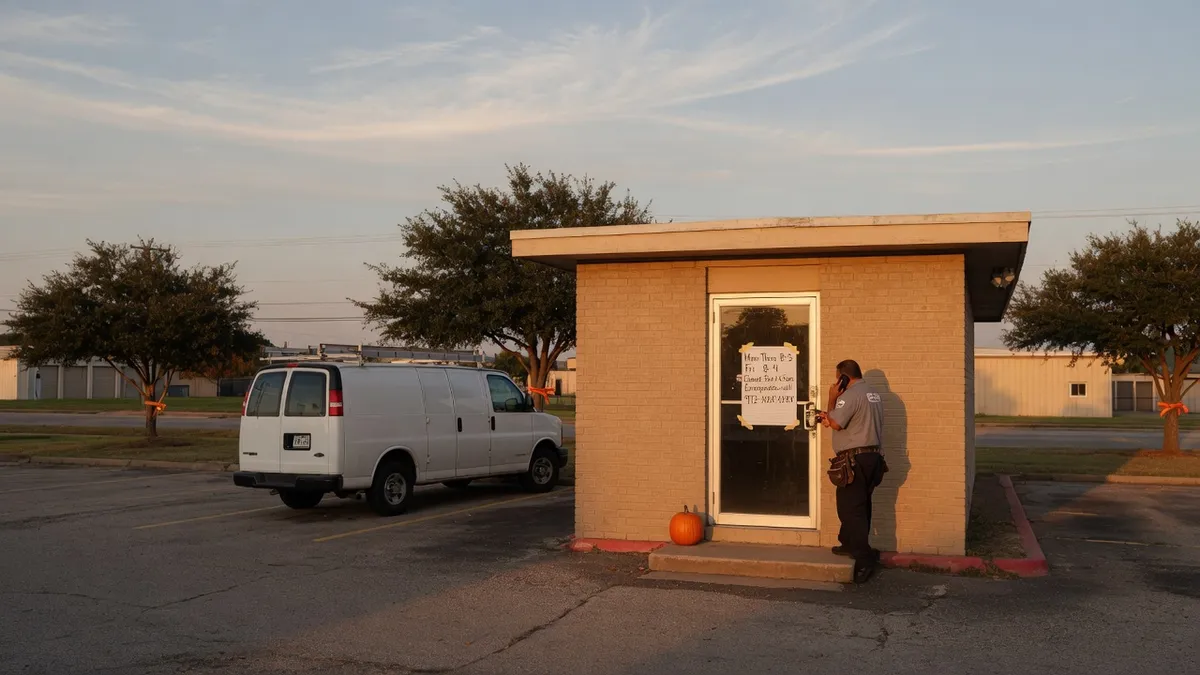
Set Halloween hours on your trade shop map listing before Saturday. Match the door, phone, and listing so customers do not drive to a dark shop.
If your shop closes early on Halloween, the map listing is the first place a stranger will look. The door sign is second. The voicemail is third. When those three disagree, the customer still shows up.
Halloween 2026 falls on Saturday, October 31. A lot of trade shops already run a short Saturday, or they skip Saturday altogether. Halloween sits on top of that. Crews want to get home. Parents on the crew want to be on the driveway. Emergency calls still come in. The listing does not know any of that unless you tell it.
This is a listing job, not a marketing stunt. You are telling the map the hours you will actually keep.
Why the hours lie more on Halloween than on a normal Saturday
A normal Saturday is a habit. The owner, the dispatcher, and the map already agree on 8 to noon, or closed. Halloween breaks the habit for one date. Someone changes the door. Someone changes the group text. Nobody opens the listing.
Then a homeowner in Frisco searches for a plumber who is open now, sees Saturday hours, and drives. The lot is empty. They leave a one-star note about the locked door. You did the kind thing for your crew and the listing punished you for it.
The same miss happens in reverse. You keep one tech on the emergency phone until 8 p.m., but you mark the listing closed. "Open now" stops showing you. The burst-pipe jobs go to the shop that left a real clock on the map.
The fix is boring and it works: special hours for that one date, matched to the phone and the door.
Decide the plan before you touch the listing
Write four lines. If you cannot fill them, you are guessing in public.
1. Shop or office: open, reduced, or closed — and the exact times. 2. Dispatch phone: same hours, shorter, or emergency-only. 3. Field crew: last scheduled job you will accept, and the last emergency window. 4. Who is on call, and until when.
A storefront can go dark and still take calls. A truck-only outfit has no door to lock, but the listing still shows hours. "Open" on the map is how people decide to tap Call.
Do not mark 24 hours because you have an on-call phone. 24 hours means a stranger can arrive at 11:40 p.m. and expect a lit bay.
Set a special date. Do not rewrite every Saturday.
Your public listing has regular hours and special hours. Halloween is a special date. Leave Monday through Friday alone. Leave the other Saturdays alone. Add October 31 as its own row.
Three honest shapes:
- **Closed.** Shop dark, no dispatch, no on-call. Use this only if it is true. - **Reduced.** Example: 8:00 a.m. to 2:00 p.m. when you normally run until 4:00 p.m., or when Saturday is already a short day. - **Emergency only.** The map still needs a clock. Put the hours the on-call tech will actually answer. Put the rest in one short listing note: "Office closed Halloween. Emergency line on until 8 p.m."
After the listing saves, change the other three clocks the same hour:
- The card on the door - The voicemail greeting for that day - The hours line on your site, if you publish hours there
If the site footer still says "Sat 8–12" and the listing says closed, you created a second argument. Pick one clock.
Leave the service area alone. Halloween is not a reason to shrink or grow the radius. Hours change. The towns you cover do not.
What to check before you walk away
Open the public listing the way a customer would, on a phone, not inside the editor.
- Does October 31 show as a special day, or did you overwrite Saturday forever? - If you are closed, does it say closed for that date, or does the regular Saturday bar still show? - Does "open now" match the plan at 3:00 p.m.? At 7:00 p.m.? - Does the primary phone on the listing ring a human who knows the plan? - If you are mobile with no storefront, did you still set hours?
Then check the automations you forget you own:
- An after-hours text that says "We'll call you at 8 a.m." when the shop is closed until Monday - A chat line on the site that promises a reply in five minutes - A review request that fires the same evening a customer found a dark door
Halloween is a bad night to ask for a review from someone you just locked out. If you ask for reviews, wait until you have done the work you promised. A locked door with Saturday hours still on the map is how a one-star note writes itself. Fix the clock first. Ask later, after a job you actually finished.
If you change hours on the map and leave the old Saturday line on a directory you forgot, the next crawl has two clocks. You do not need to tour every directory tonight. You do need the map listing, the door, the voicemail, and the site to say the same thing.
What to leave out
- Do not add Halloween copy to every field. One special-hours row. One short note if you run emergency-only. That is enough. - Do not stuff city names into the hours note. The listing already has a service area. - Do not promise "we'll squeeze you in" on the listing. That is a phone conversation, not a public hours row. - Do not delete Saturday from the regular week because of one holiday. You will forget to put it back. - Do not set closed if you still want the emergency jobs. Closed hides you from "open now." - Do not invent a second listing for "Halloween emergency." One listing. One clock. - Do not rank-chase the holiday. Hours are operations. They are not a ranking lever.
Worked example: a Frisco plumber on a Saturday Halloween
Say the shop on a normal Saturday is 8:00 a.m. to 12:00 p.m. in the office, with two techs in the field until they finish the last ticket. On October 31 the owner wants everyone home by mid-afternoon. One tech will keep the emergency phone until 8:00 p.m. for burst pipes and no-heat calls. The bay will be dark after 2:00 p.m.
The honest listing for that day:
- Special hours, October 31: 8:00 a.m. to 2:00 p.m. - Short listing note: Office closes at 2. Emergency line until 8 p.m. No new routine stops after noon. - Door card: same words, same times - Voicemail: "It is Halloween. The office is closed after 2. If this is an emergency, leave your name, address, and a callback number. We are on call until 8." - Site hours: one-line override for that Saturday, then back to the regular week on November 1
What this shop does not do:
- Leave Saturday 8–12 on the map and hope people guess - Mark closed and then wonder why the emergency phone is quiet - Send a review text at 6 p.m. to the homeowner who arrived at 3
On November 1, confirm the special date expired or delete it, and confirm Saturday is back to 8–12. That five-minute check is the whole cleanup.
The same pattern holds for HVAC, electrical, and lawn. Reduced hours plus an honest emergency window beats a listing that still thinks it is a normal Saturday.
Draft the note with whichever model you already have
You do not need a long prompt. You need three short artifacts: the special-hours row, the door card, and the voicemail. Feed the model your real plan from the four lines above.
Work in this order: Claude, then GPT, then Grok, then Gemini, then Perplexity. Don't have Claude? No problem. Start with whichever one is already open. Don't have GPT? No problem. Skip it. The order is a habit so you do not stall looking for a favorite.
Paste this:
"We are a trade shop. Regular Saturday hours are [x]. On Halloween, October 31, the office is [open/reduced/closed] from [start] to [end]. On-call emergency is [yes/no] until [time]. Write three things in plain English: (1) one special-hours line for the public listing, (2) a 20-word door card, (3) a 30-second voicemail. Do not add cities. Do not promise rankings. Do not say 24/7 unless I typed 24/7."
Read the draft out loud. If you would not tape it to the door, cut it. Then type the hours into the listing by hand. The model drafts. You save.
If you want a second pair of eyes on the listing itself, start at Ethical AI. The public listing, the hours, and the phone are the whole job.
After Halloween, one pass
Sunday or Monday morning, open the listing again.
Confirm the special date is gone or expired. Confirm regular hours returned. If anyone hit a locked door, answer that review or that voicemail before you ask for a new one. Then put the next holiday on a card: Thanksgiving week, Christmas Eve, New Year's Day. Same method. Special date. Match the door.
The listing is a clock. Halloween is one date on it. Set it before Saturday, not after the first missed call.
If you want help walking the listing before the holiday, book a short call.
Ethical AI · Frisco, TX · 469-669-2728