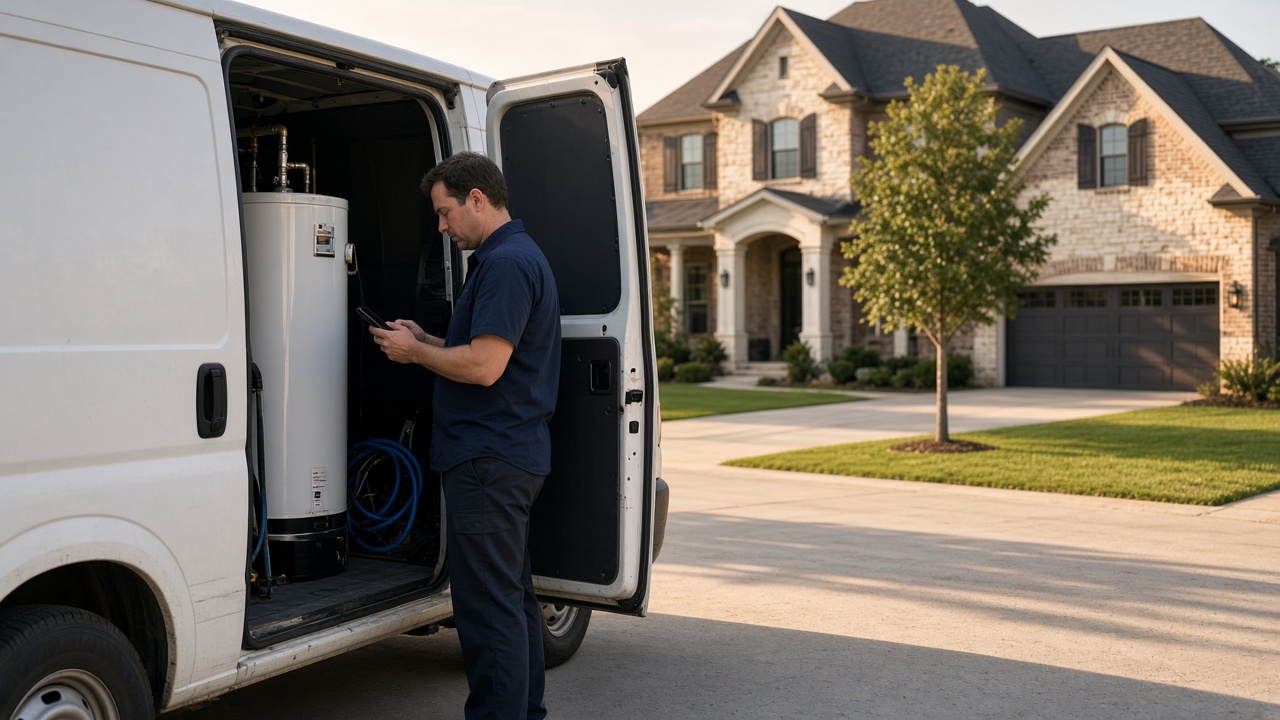
Text the review link from the job site while the finished work is still in front of the customer. One short message, one link.
The review a customer actually writes is the one you ask for while the finished work is still in front of them. Text the review link from the job site, from the phone you already carry, before the truck moves. The customer can see the work. You are still the person who did it. The message takes less than a minute.
Waiting for the office to send it on Thursday usually means the text never goes out. The day replaces the job. Ask while you are still on the property.
How to ask for reviews when the work is visible
People answer a short message from the person who just finished the repair. Send yours after you walk the result with them and before you start the engine. On a crew, the lead sends it before anyone leaves. On a one-truck shop, you send it yourself. The pass people call "circle back" is where review asks stall.
You are handing over a link that opens a review box. The customer can write tonight or leave the text alone. Speak the ask out loud only if they ask what the text is. Send it, thank them for walking the work, and go.
The link is the Google Business Profile review link
The link in the text is the review link on your Google Business Profile. The customer lands in the box where they write a review of your shop. A hop through your website, a map search for your trade, or a page of small business listings adds steps, and those steps are how a willing person puts the phone down.
Copy the review link once, on a quiet morning, from the Google Business Profile you want reviews to land on. Paste it into a note on the phone that goes to jobs. Tap it before the first appointment of the week. You should see a review form with your business name at the top.
Small business listings drift. An old phone number, a former partner's name, or a second card for the same shop splits the ask. The review link has to open the card customers already see when they search your business name. Merge the duplicate or close it before you text anyone. Open the link again when the business name, the phone number on the truck, or the address on the card changes. One link, one card.
The three lines you send
One text does three jobs.
1. Say who you are, and what you just finished, in the same words you used at the door. 2. Put the review link on its own line, where a thumb can hit it. 3. Give them a way out, so a busy person does not feel cornered.
Read the mobile number back from the person who walked the work with you, and text that number. Then put the phone away. One ask is a professional close. A second text the same afternoon is a chase, and chases get muted.
Memorize the shape. Swap only the job words.
Hi — this is [your name] with [shop name]. The [job] is done and I am heading out. If you have a minute later, a short review helps the next person choose a shop: [review link]. No need to reply if you are in the middle of something.
Keep it on one phone screen. When you have to scroll to find the link, cut a sentence.
A worked example at the curb
A tech finishes a water-heater swap in the late afternoon. The homeowner has looked at the new unit, the drain pan, and the old unit on the truck. The shutoff is labeled. The tech reads the mobile number back, then sends this before the key turns:
Hi — this is [your name] with [shop name]. The water heater is in, the old unit is on the truck, and the shutoff is labeled. If you have a minute later, a short review helps the next person choose a shop: [review link]. No need to reply if you are busy.
That block is a template for the crew. It is not a report about a real customer, and it claims no outcome. Put your name, your shop, and your review link in it. Keep the star count, the slogan, and the install photo in the job record.
When the person who pays was away, and a tenant or a property contact walked the finished work, text the person who walked it. When nobody walked it, send the ordinary job-complete note and save the review link for a visit where someone can see the result. A quote that stayed a quote gets a thank-you. The review link goes out after finished work.
What to check before the first send of the day
Run this in the morning, with the truck still in the lot.
- The link opens a review form, and the name on the form is your shop. - That form belongs to the Google Business Profile customers already find under your name. - The text will come from a number printed on the invoice, the truck, or the appointment reminder. - The words fit on one screen, with the link visible without a scroll. - You will send it after the work is visible, after the walkthrough, and before the truck moves. - The message offers no discount, gift card, or drawing, and it does not name a star count or a sentence to paste.
When a line fails, fix that line. A warmer paragraph will not repair a link that opens the wrong card.
What to leave out
Leave out the stack of links. One message that lists your site, your profile, and three directories gives people homework they will skip. One link.
Leave out the rating. Ask for a short review. They choose the words and the stars.
Leave out the driveway speech. The link already carries the ask.
Leave out a side list of "only the easy yes." When the job is incomplete or the customer is upset, fix the job first. Ask when the person who received the work can describe it in their own words.
Leave out a same-day bump and a weekend nudge. One text from the job site. If the shop wants a single reminder, send it once, three or four days later, only when that job still has no review on the card. Same link. Shorter than the first text. Then stop.
Leave out a tour of every town on the route. The customer knows the address. The Google Business Profile carries the service area. The text stays on this job.
Write the steady text once
Write one message with a blank for the job before Monday. New hires get that note and the review link.
When you want help sanding the words, use this order and keep the shortest version that still sounds like your crew.
Start with Claude. Paste your trade, two jobs you finish in a driveway, and the rules: two or three sentences, one link, no star count, no discount, no slogan. Ask for a text a tired tech will actually send.
Take that draft to GPT and cut every line that flatters the shop or pleads. A line that belongs on the side of the van comes out.
Take what remains to Grok. Ask whether a tech would send it at the curb, gloves half off, with the day still moving. Cut any windup.
Take the short version to Gemini. Have it mark a second link, a list of towns, or a sentence that puts words in the customer's mouth. Delete what it marks.
Use Perplexity only to check the link you already copied from your Google Business Profile: this kind of link should open a review form. Take no fresh web address from a chat. Tap the real link on your phone and read the business name yourself.
Don't have Claude? No problem. Start with GPT and keep the same order from there.
Don't have GPT? No problem. Use the three-line template above and send that.
Don't have Grok, Gemini, or Perplexity? No problem. The template is the message. You text the customer from the job site, once.
Save the keeper beside the review link. Read it out loud once.
On the next finished job
Put the review link and the three-line text on the phone you take to work. On the next job you finish in front of a customer, send it before you leave the curb. That night, open the thread once to confirm the message left and the link still opens your card.
When you want a second pair of eyes on the link, the Google Business Profile, and the sentence your crew will send, book a short call with Ethical AI in Frisco. Bring the phone you use on jobs.
More of this teaching is on ethicalai.me.
Ethical AI · Frisco, TX · 469-669-2728